Run your booth like a business.
Inventory, price tags, mall statements and expenses, from the phone in your pocket.
Know what you paid for every piece, print tags that scan at the register, turn the mall’s monthly statement into logged sales in a minute, and see what your booth really made after rent, commission and gas.
Free account: 25 items in stock and 15 price lookups. Tags, statement scans and expenses are on every plan.
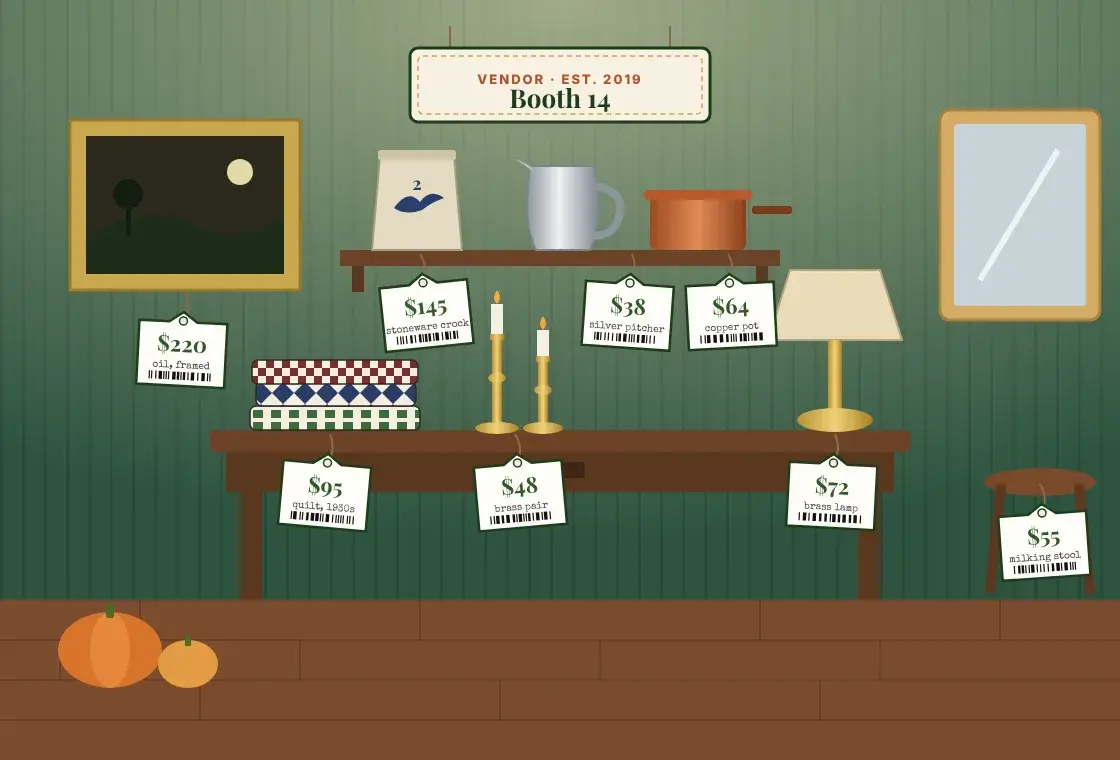
sound familiar?
The booth, before PocketPrice
The statement gets skimmed
Forty lines of tag numbers, read once in the car and filed. Nobody knows which pieces actually sold.
Tags written by hand
A Sharpie, a stack of string tags and a Sunday night. Then a price change means doing it again.
Stock lives in your head
What you paid, which booth it went to, how long it has sat. It works until you have two booths.
Rent and gas never get counted
Sales look great. Whether your booth made anything after rent, commission and mileage is a guess.
No. 1
Inventory built for booths
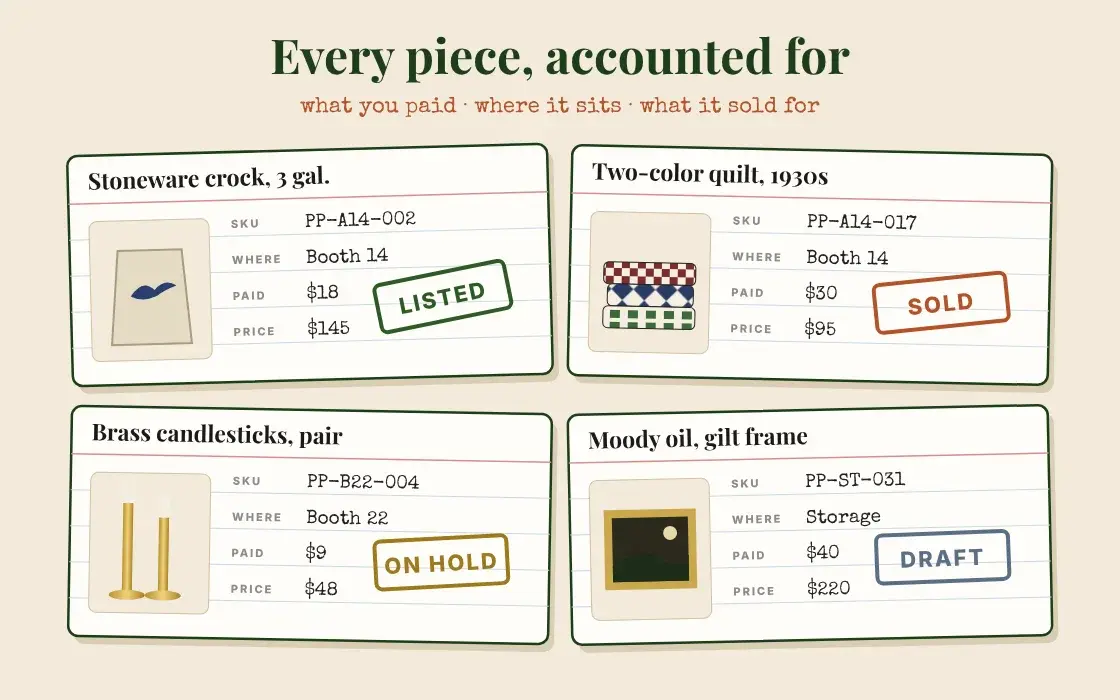
An inventory built for booths, not warehouses. Every piece carries what you paid, the price on the tag, which booth it is in and whether it has sold, so you stop running two booths and a storage unit on memory.
- Price an item and save it to inventory in one tap, photo and price filled in
- Cost, price, SKU, booth and status on every piece: draft, listed, on hold, sold
- Filter by booth, category or age to find what has sat too long
- Consigned pieces track who is owed what, and when you paid them
- Sold items never count toward your plan’s item limit
No. 2
Price tags that scan at the register
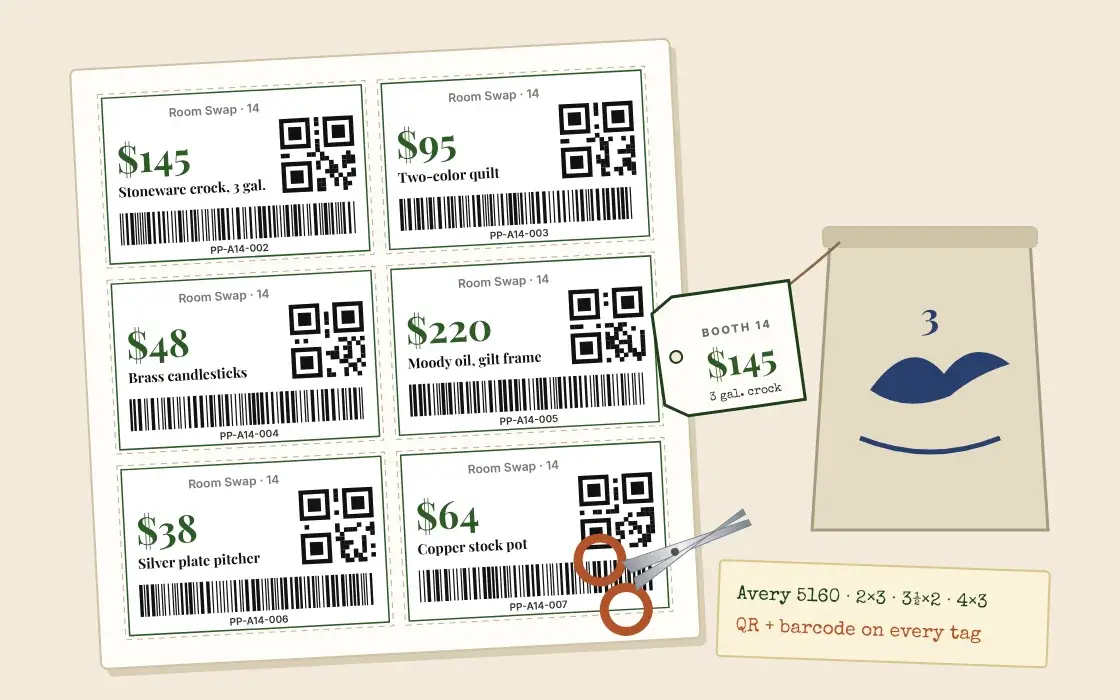
Put the Sharpie down. Pick the pieces in your inventory and print a sheet of clean, matching tags on your own printer, with your booth number on every one.
- Print straight from inventory: pick the pieces, tap Print
- Four sizes, including Avery 5160 address labels and 3½″ × 2″ business cards
- Your shop name and booth number, the price, a QR code and a Code 128 barcode
- Barcodes scan at mall registers and in Square, using your SKU
- Print just one load for a show, or just the pieces you repriced
No. 3
Your mall statement, read for you
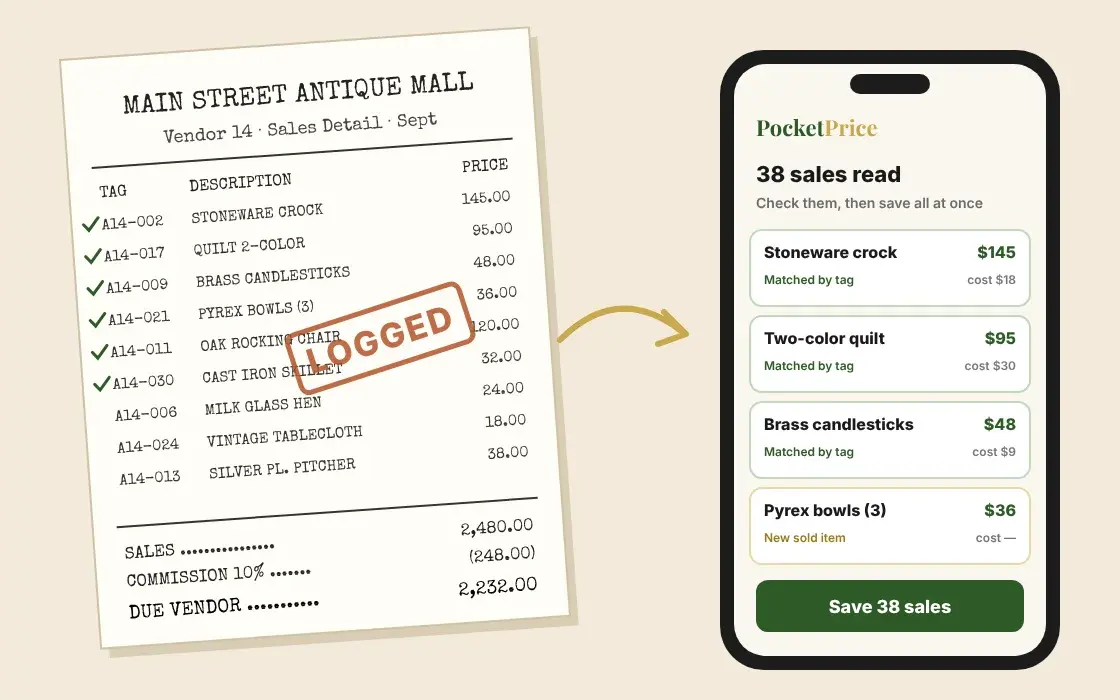
Take a photo of each page of the statement your mall gives you. Every line comes back as a sale, matched to the piece in your inventory, so the month is logged before you leave the parking lot.
- Photograph every page of your mall statement, or upload the PDF or spreadsheet
- Each line is matched to your inventory by tag or name and marked sold
- The price you actually got, after the mall’s sale discount
- Mall commission read off the sheet, or your booth’s rate applied
- Nothing saves until you have checked it
try it now, no account
Scan one sales sheet free
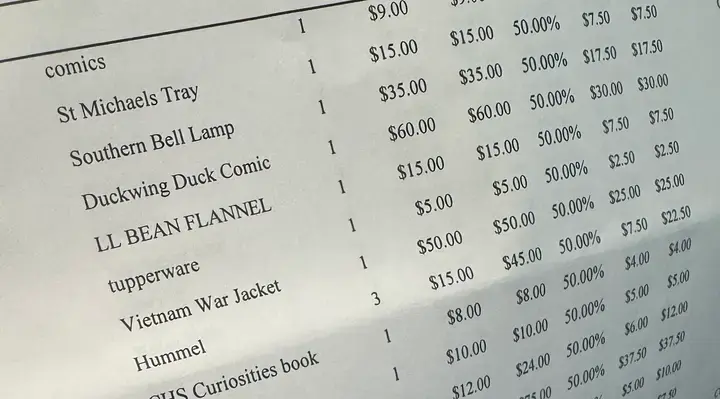
This is a real sheet from a real antique booth, and five of its lines as PocketPrice read them. Take a photo of your own and see what sold, your totals and your best sellers in seconds.
Photo or PDF. We never keep your photo; the lines we read are saved for 24 hours so you can add them to a free account.
No. 4
Expenses, rent and mileage
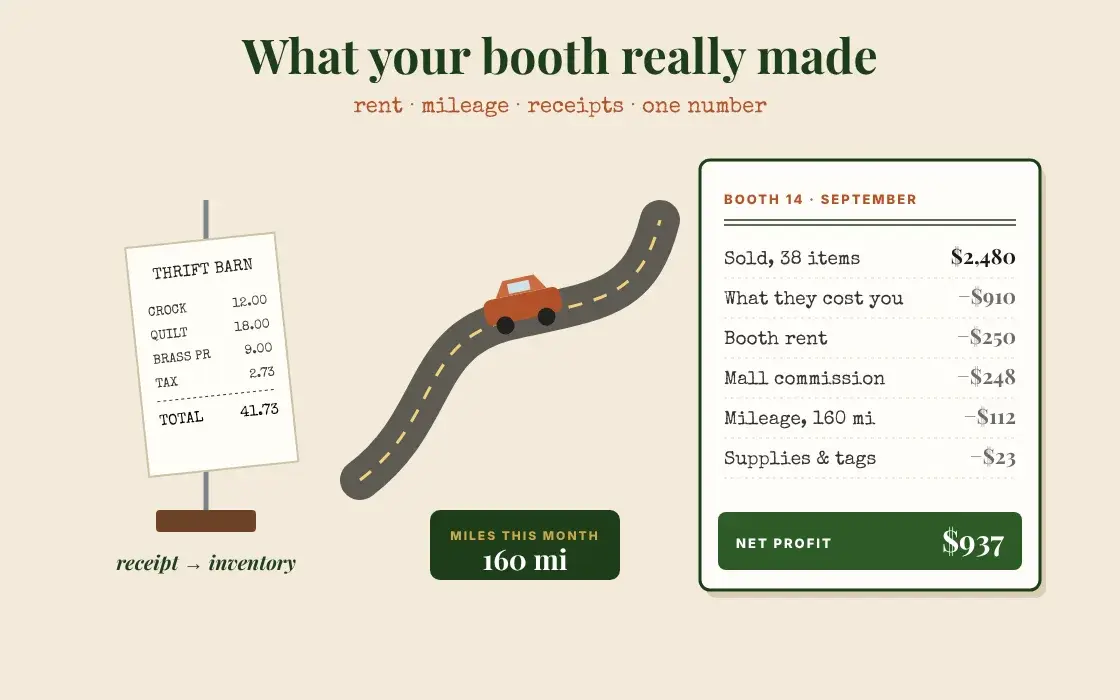
Sales are easy to see. What is left after rent, the mall’s cut, the gas and the tags is the number that tells you whether a booth is working. PocketPrice keeps the costs as they happen, so the answer is waiting at month end.
- Booth rent set up once, then one tap each month it comes due
- A real mileage log: miles and where you went, about ten seconds a trip
- Photograph a thrift or auction receipt and every line becomes an item at its real cost
- Categories that fit reselling: rent, mileage, supplies, fees and commission, shipping
- Weekly, monthly, quarterly and year-end reports, and one file for your accountant
No. 5
A month in the booth
Week
1
Restock
Photograph the sale receipt in the parking lot. Every piece goes into inventory at what you paid, and the miles go on the log.
Week
1
Price & tag
Price each find for your market, then print a sheet of tags with your booth number, a QR code and a barcode.
Month
End
Scan the statement
Photograph the mall’s sales statement. Every sale is matched, marked sold and counted, commission and all.
Month
End
Read the one number
Sales, cost of goods, rent, commission and mileage, down to what your booth really made.
Booth 14 · September
- Sold, 38 items
- $2,480
- What those items cost you
- −$910
- Booth rent
- −$250
- Mall commission, 10%
- −$248
- Mileage, 160 mi
- −$112
- Supplies & tags
- −$23
Net profit
$937
An example month
No. 6
Pick a plan for your booth
Inventory, price tags, statement scans and expense tracking are on every plan, free included. Plans add room for more stock and more price lookups.
Prices in USD; Canadian sellers are billed in CAD. No contracts, cancel any time. Compare every plan
No. 7
Questions from the aisle
What does PocketPrice do for an antique mall booth?
It keeps the whole booth in one app on your phone: an inventory of every piece with what you paid, where it sits and what it sold for; printable price tags with QR codes and barcodes; a scanner that reads your mall’s monthly sales statement and marks every sale; and expense tracking for booth rent, mileage and receipts. At month end you see what your booth really made.
Which mall sales statements can it read?
The monthly vendor statement or sales detail most antique malls and consignment shops hand out, as a photo of each page, a PDF, or a CSV or Excel export. It reads the tag or SKU, description, price, any sale discount, and the mall’s commission when the sheet shows it. You check every line before anything is saved.
Can I try the statement scanner without an account?
Yes. Take a photo of one sales sheet at thepocketprice.com/booth-sheet, or try the built-in sample, and see what sold, your totals and best sellers. If you like it, make a free account and the sales you scanned come with you. We never keep your photo.
Do the price tag barcodes work with my mall’s register?
PocketPrice tags use Code 128 barcodes, the standard retail format, carrying your item’s SKU. They scan in Square after you import your inventory with Export for Square, and on mall systems that let vendors use their own SKUs. Every tag also has a QR code shoppers can scan.
What label paper do I need for price tags?
Plain letter paper works with cut lines, or pre-cut stock: Avery 5160 address labels (30 a page), 3½″ × 2″ business cards like Avery 5371 (10 a page), and 2″ × 3″ and 4″ × 3″ sheets.
Does it track booth rent and mileage for taxes?
Yes. Set booth rent up once and it comes due each month. Mileage is logged with the miles, where you went, and your rate on that day. Supplies, fees, commission and shipping each have their own category, and the year-end export is in the shape a tax preparer expects. What you pay for stock stays separate, as cost of goods.
I have two booths in different malls. Does that work?
Yes. Every item carries a location, so you can split inventory across booths, storage and online, filter by each one, and give each booth its own commission rate. A statement upload goes into the booth you pick.
What does it cost?
Free to start with 25 items in stock and 15 price lookups, no card needed. Inventory, tags, statement scans and expenses are on every plan. Paid plans start at $4.99 a month for more items and lookups, and you can cancel any time.
More reading: Is your booth profitable? · The mileage deduction · Cost of goods vs. expenses
open for business
Stop running your booth on memory.
Free to start, no card needed. Bring your next restock, your next sheet of tags and this month’s statement, and see the booth in one place.